
Switching Between Businesses
If you manage more than one business in Retriever Score, switching between them takes one click - every score and setting belongs to whichever business is currently active.
In your app: /businesses/
Retriever Score is built around one business at a time. When you sign in, you land on the dashboard for your currently active business. If you manage several businesses - different locations with separate Google listings, or entirely different companies - you can switch between them without signing out. Everything in the app (scores, action items, locations, settings) belongs to whichever business is active.
The business switcher in the sidebar
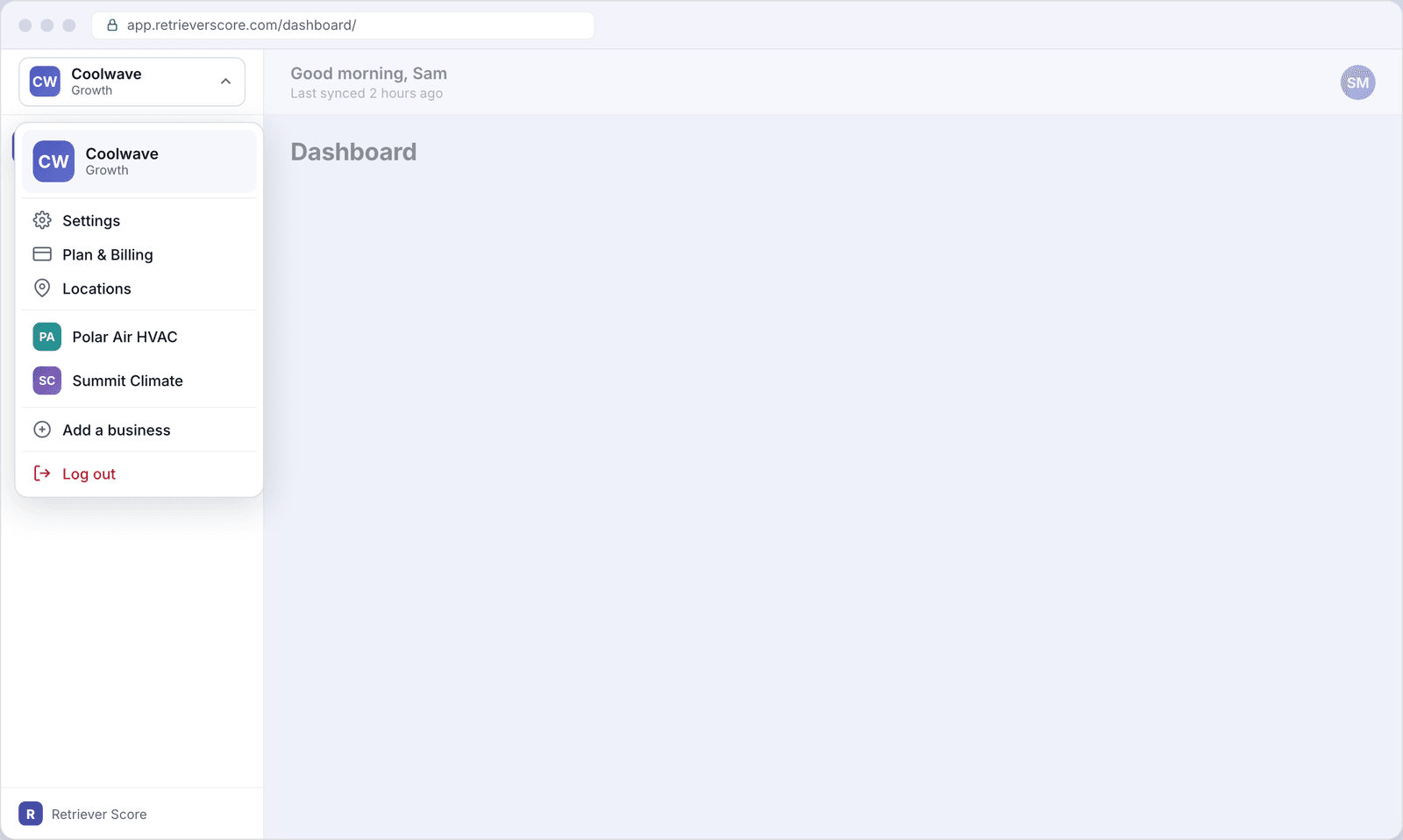
The quickest way to switch is the business name button in the top-left corner of the sidebar. Click it and a menu drops down. It shows your current business at the top, then your recently visited businesses below that, so you can jump back to something you were just looking at with a single click. The menu also gives you shortcuts to Settings, Plan & Billing, and Locations for the current business, and a way to log out.
Current business header
The top row of the dropdown shows the business you are currently viewing - its logo or initials and its plan name. This is just a reminder; it is not clickable.
Settings, Plan & Billing, Locations
Three shortcut links for managing the current business. These take you to the Business settings, Plan & billing, and Locations screens for the business you are currently viewing.
Recently visited businesses
Up to seven businesses you have recently opened appear here. Clicking one switches the active business and reloads the page you are on for that business. The list updates automatically as you move between businesses.
Add a business
Takes you to the account creation flow to set up a new business workspace under your login. Your email address and the fact that you are adding (rather than creating a brand-new account) are carried over automatically.
Log out
Signs you out of Retriever Score entirely. You will need to request a new sign-in code the next time you come back. See Signing in for how that works.
The All Businesses screen
If you manage many businesses, the sidebar menu shows only the most recent
seven. When you have more than seven, an All Businesses link
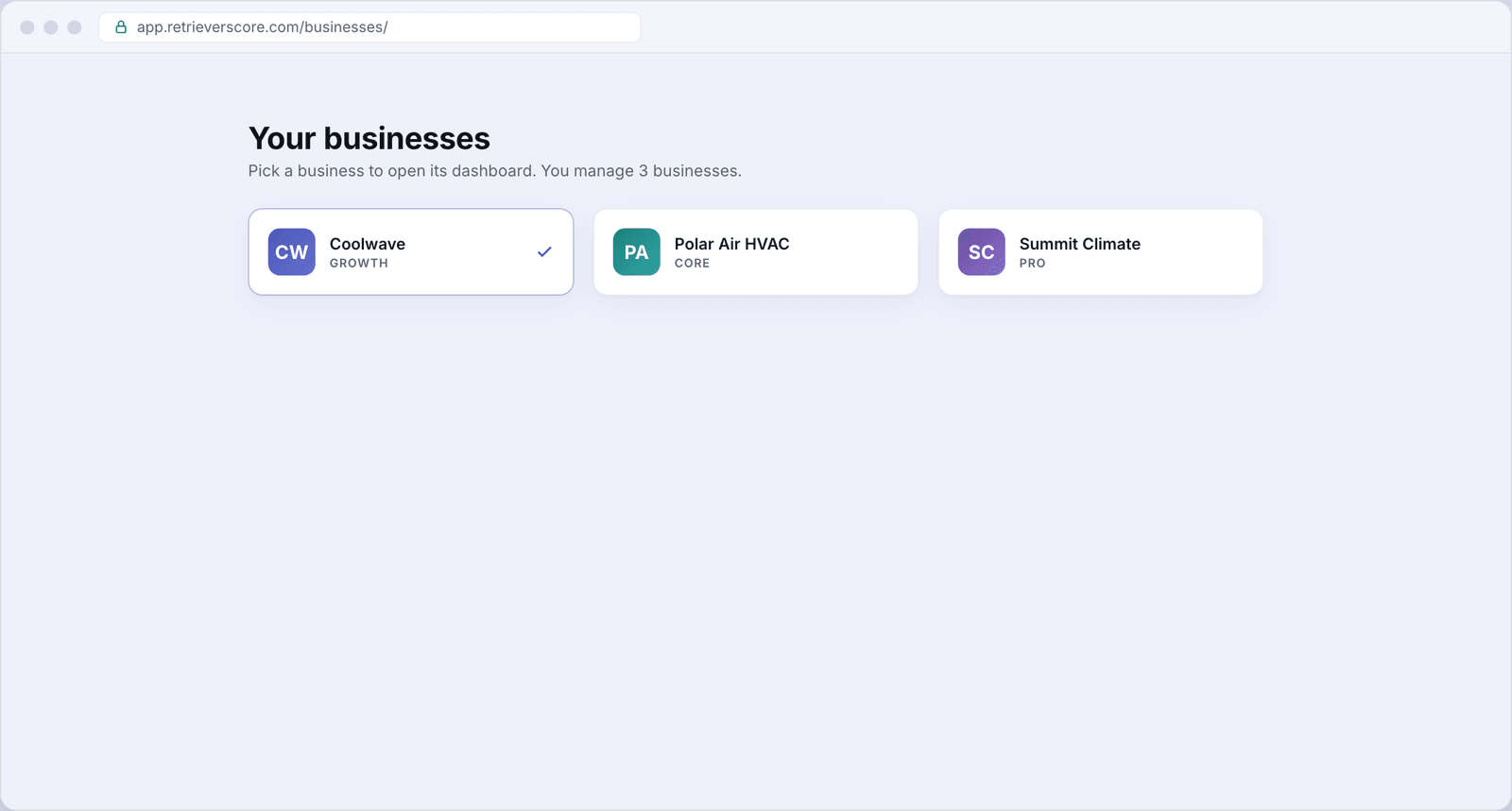
appears in the menu that takes you to a full grid of every business you belong
to. You can also reach it directly at
app.retrieverscore.com/businesses/.
Business cards
Each card shows the business logo or initials monogram, the business name, and the current plan. The card for the business you are currently viewing has a checkmark and a highlighted border. Click any card to switch to that business and land on its dashboard. The switch is instant - no need to sign out and back in.
What switches when you change businesses
Everything in the app is scoped to the active business. When you switch:
- All nine scores update to reflect the new business.
- Action items, alerts, and recommendations switch to the new business.
- Settings, locations, and billing switch to the new business.
- Your personal profile (display name, email, appearance) stays the same - it belongs to you, not any one business.
Each business has its own plan and billing. Upgrading or changing the card on file for one business does not affect your other businesses. Check each business's Plan & Billing screen separately.